Secret masking
Sensitive data stays masked by default
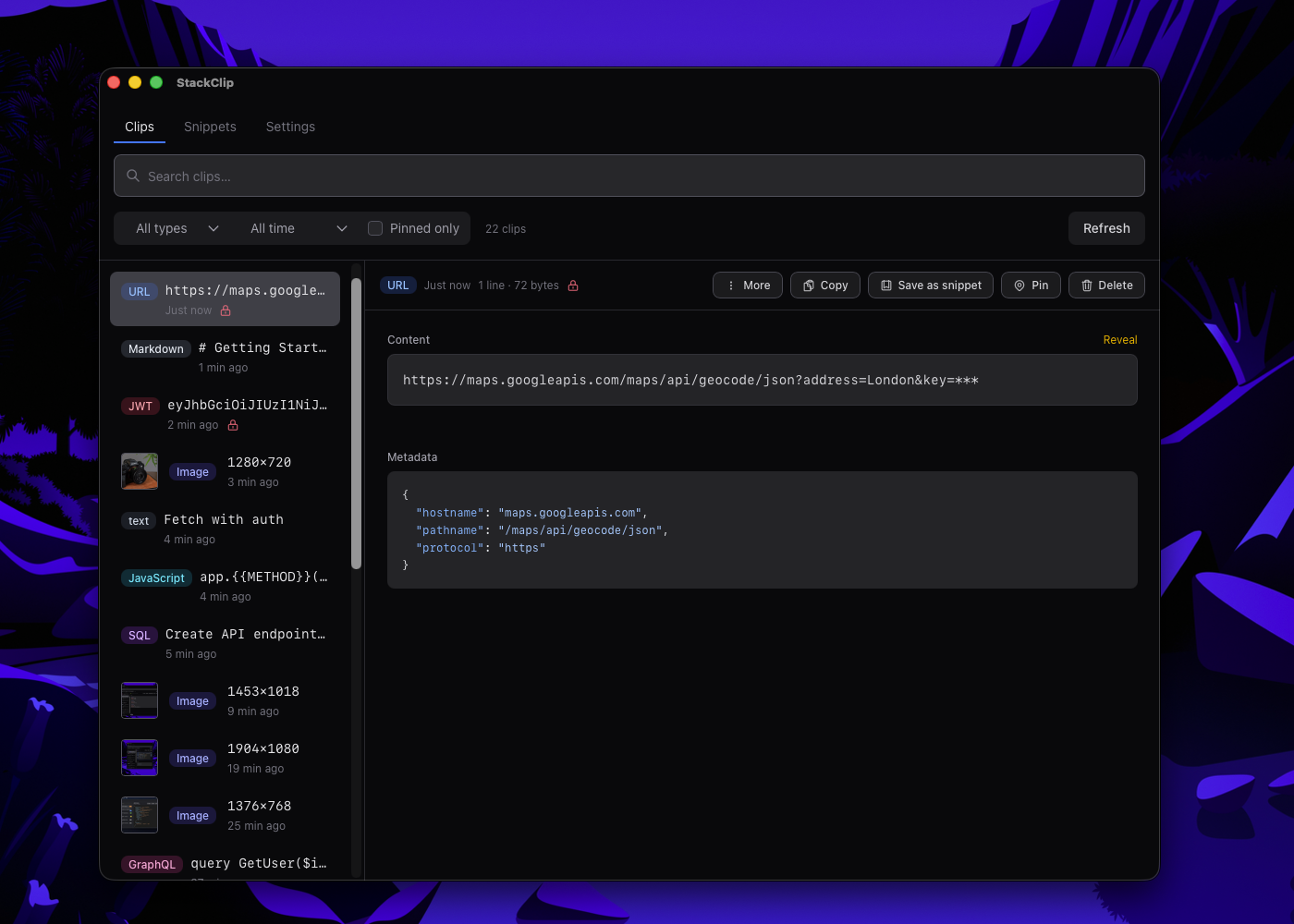
JWTs, env vars, curl auth headers, and API keys are masked in the list view. Reveal on demand. Auto-mask after 5–10 seconds. StackClip is built for developers who copy sensitive data—and want it handled safely.
When this matters
You copy a JWT or an env file with API keys. A generic clipboard tool shows the raw value in a scrollable list—visible to anyone looking at your screen. StackClip masks it immediately and keeps it that way until you explicitly reveal it.
- Copy a JWT, env var, or curl auth header
- StackClip masks it in the list immediately
- Reveal on demand — auto-masks again after 5–10 seconds
- Auto-masked.
- JWTs, env vars, curl auth headers (Bearer, X-Api-Key, Cookie), API keys in JSON/YAML/TOML/INI, shell args (--password=, TOKEN=), URL query params (token, api_key).
- Reveal on demand.
- Click to expand. Time-limited reveal: content auto-masks after 5–10 seconds (configurable).
- URL masking.
- Long URLs truncated until you need them; sensitive query params masked.
- Privacy controls.
- Auto-expire sensitive clips (5/15/30/60 min; pinned exempt). Per-type retention (e.g. JWTs 1h, code 30d). Sensitive filter: All / Hide sensitive / Only sensitive. Clipboard locker: pause capture for 5 min when typing passwords (tray or Settings).